
SD2SP2 GameCube Adapters
Upgrading your GameCube video output or adding wireless capability traditionally required costly third-party solutions or invasive internal modifications that risk component damage. SD2SP2 GameCube Adapters connect to the Serial Port 2 interface to deliver modern HDMI video, network adapters, and wireless controller support without opening your console. Order now from the official store and transform your GameCube into a contemporary gaming system with professional-grade peripherals.


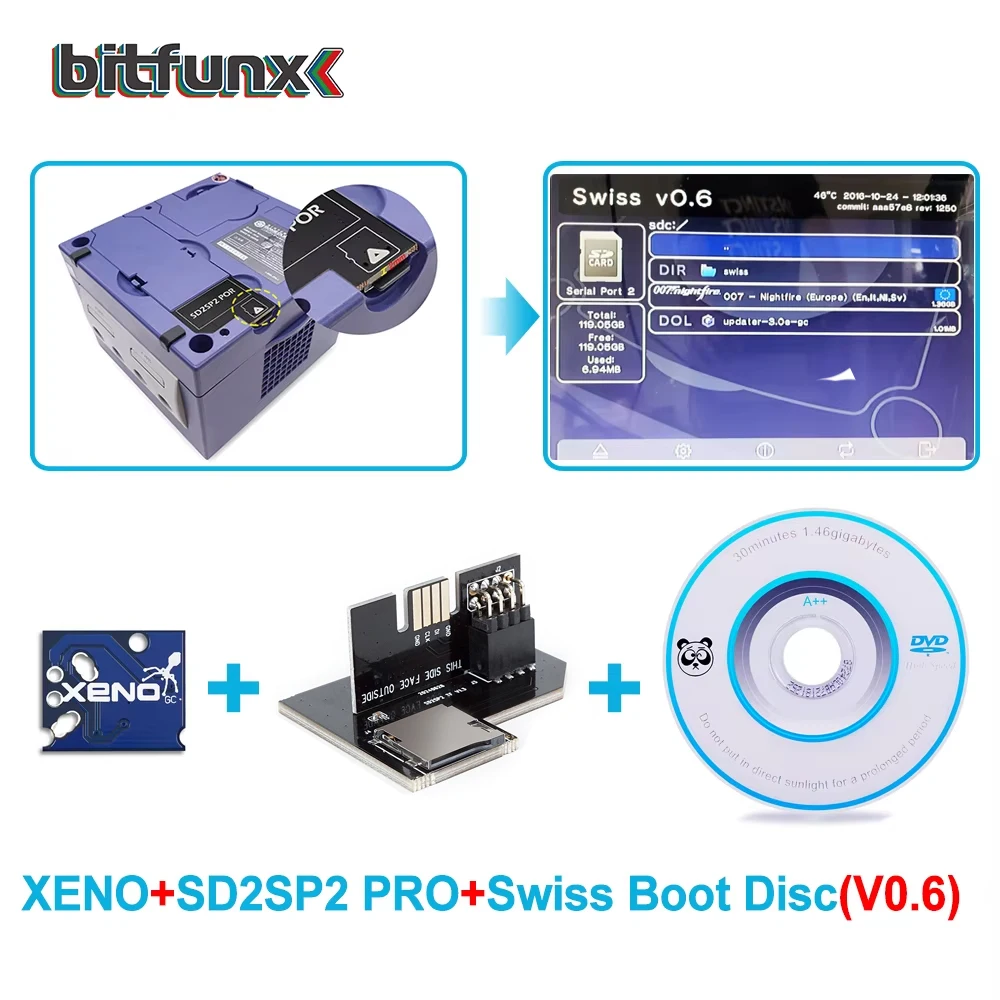

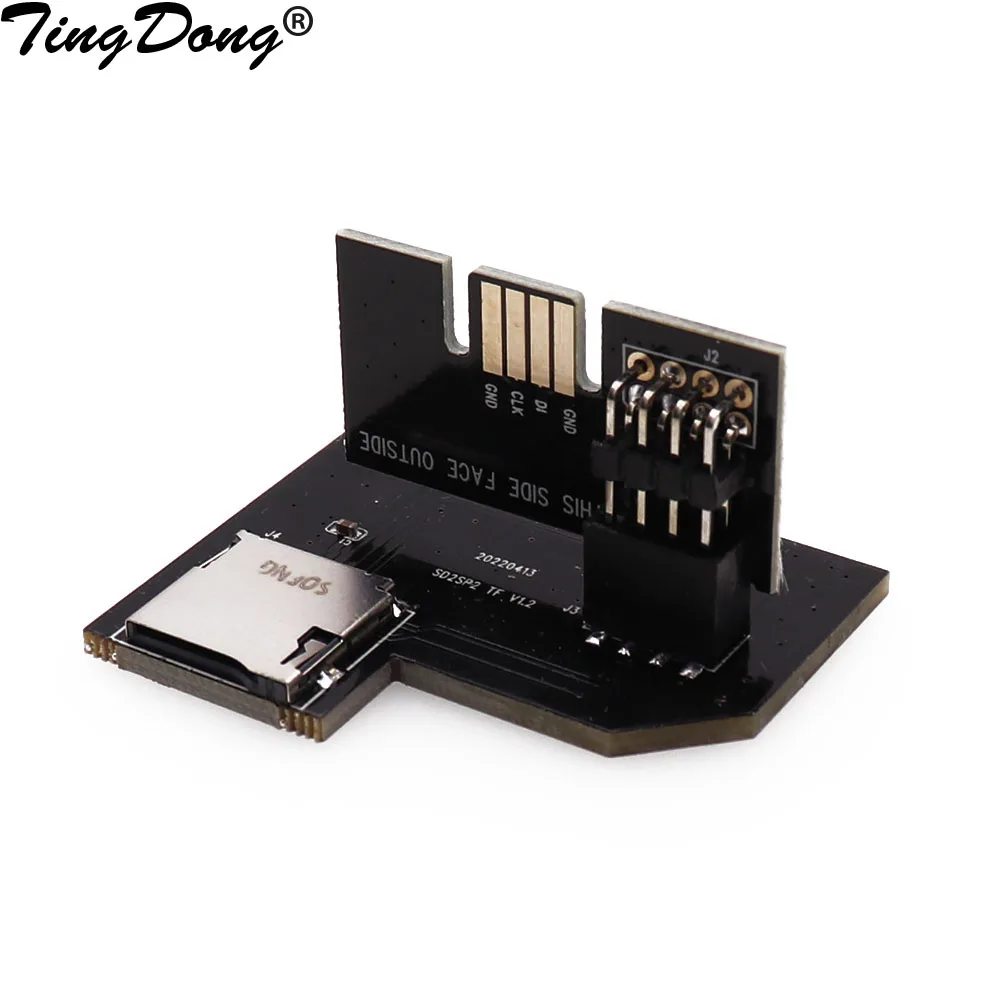
SD2SP2 GameCube Adapters for Serial Port 2 Expansion
SD2SP2 GameCube Adapters utilize the Serial Port 2 connector on the back of your GameCube to deliver audio, video, and data capabilities that internal modifications cannot match without soldering or desoldering components from your motherboard. The port sits exposed and easily accessible on every GameCube unit manufactured, making it the safest and most reversible upgrade path for console enhancement. SD2SP2 adapters support HDMI video conversion modules that output your GameCube library to modern flat-screen televisions without the color banding or motion artifacts associated with composite or component cables. Network adapters connect through the same Serial Port 2 interface, enabling online multiplayer for compatible titles when paired with appropriate software like Swiss boot applications that unlock netplay functionality. Wireless controller adapters use the Serial Port 2 connection point to receive signals from modern 2.4GHz controllers, eliminating cable tangles and giving you console-quality input latency comparable to wired controllers from the original console era. Installation requires only plugging the adapter module into the port—no case opening, no soldering tools, no technical expertise needed to complete the upgrade in seconds.
Professional HDMI Technology and Wireless Protocols
Leading SD2SP2 adapters incorporate dedicated video processing chips that accept raw GameCube video signals and encode them into HDMI format, producing output that passes through any modern television’s HDMI input without compatibility issues or configuration menus. The conversion process maintains the original 480i or 480p resolution that GameCube games produce natively, scaling intelligently to match your television’s native panel resolution while preserving the pixel-perfect image quality that retro gamers demand. Wireless controller adapters integrate 2.4GHz receivers with 8-millisecond input latency, matching or beating the response time of factory wired controllers so competitive play remains fair and responsive. Network adapter modules support both Ethernet and WiFi protocols depending on the specific product variant, letting you select installation based on your room layout and available connectivity infrastructure. Power delivery through Serial Port 2 eliminates the need for additional USB cables or power injectors, keeping your console setup uncluttered and reducing the number of external components visible in your entertainment center. Shielded connectors throughout the adapter prevent electromagnetic interference that causes flickering or audio dropout when your GameCube operates near wireless routers or other high-frequency devices. Professional-grade industrial components ensure that SD2SP2 adapters maintain rated performance across thousands of connection cycles without degradation or intermittent failure modes.
Advantages Over Internal Modifications and Competing Solutions
Installing an SD2SP2 adapter preserves your console’s factory appearance and internal structure, meaning you maintain full warranty coverage and resale value if you ever decide to sell your GameCube to another collector or enthusiast. Internal HDMI modification kits require significant technical skill and specialized equipment, whereas Serial Port 2 adapters empower anyone to achieve professional-grade video output in under thirty seconds without technical training. Real-world video quality comparisons show that SD2SP2 HDMI adapters produce cleaner, sharper images than S-video or component cable solutions because the conversion happens at the digital-to-HDMI encoding stage rather than attempting to upscale analog signals. Competitive gamers who care about input latency choose wireless controller adapters that use Serial Port 2 because the architecture delivers deterministic timing that avoids the variable lag sometimes associated with RF or Bluetooth wireless solutions. Documentation from the official store includes detailed compatibility charts showing which games work best with network functionality and which adapter configurations pair seamlessly with Swiss boot applications for maximum flexibility. The reversible nature of Serial Port 2 upgrades means you can experiment with different adapter modules without making permanent changes, letting you test solutions before committing to long-term console modifications. Tournament organizers and venue operators trust SD2SP2 adapters because they deliver reliable, professional-grade results without the maintenance burdens and failure risks associated with heavily modified consoles.
Adapter Selection and Optimal Configuration
Three primary SD2SP2 adapter categories serve different upgrade priorities: HDMI video conversion for television connectivity, wireless controller receivers for modern input devices, and network modules that enable online gaming on compatible titles. Gamers prioritizing video quality should select adapters with native 480p support and HDMI 2.0 output capability, ensuring that your television receives full bandwidth for clean, stable images without compression artifacts or color limitation. Those focused on wireless gameplay benefit from adapters supporting the 2.4GHz protocol with separate receiver modules, which offer the lowest latency and most reliable connectivity across competitive gaming scenarios where every millisecond matters. Users planning to run Swiss boot applications or network-enabled games should verify adapter compatibility with your specific GameCube region and software version, as detailed compatibility information appears on the official GC2SD store product pages. Installation best practices include connecting your Serial Port 2 adapter before powering on your console, ensuring that the connection completes with a gentle click and no force, and testing with known-compatible games before relying on the adapter for extended play sessions. Positioning wireless receiver modules away from metal objects and high-frequency devices like WiFi routers maximizes signal strength and minimizes connection dropouts during multiplayer sessions. Purchase SD2SP2 GameCube Adapters from the official store to receive genuine components with comprehensive technical support, detailed setup documentation, and the opportunity to contact customer service if you encounter unexpected compatibility questions during installation.